Hosted facilitator
Access402 verifies and settles supported x402 v2 payments. Your WordPress server never receives Coinbase facilitator credentials.
 Native WordPress adapter
WordPress was the first native adapter for the Access402 platform. Protect selected posts, pages, Media Library files, and existing REST API routes while Access402 handles the hosted x402 verification and settlement flow.
Turnkey, with clear boundaries
Access402 removes the need to build an x402 verifier, settlement service, wallet dashboard, or payment activity system around your WordPress site.
Access402 verifies and settles supported x402 v2 payments. Your WordPress server never receives Coinbase facilitator credentials.
Access402 creates the Coinbase project wallet and assigns it automatically, so you never paste a receiving address into WordPress.
Live payments settle to the project wallet in USDC on Base. Access402 does not custody the funds or run payout schedules.
Review payment outcomes, access events, wallet balances, transaction details, and monthly plan usage in one dashboard.
Built for site owners
You do not need to turn your editorial team into payment engineers. Authors create posts and pages as usual. An administrator chooses which specific content should require payment, names the resource, sets a USDC price, chooses the access policy, and turns the rule on.
Human-facing pages can stay public while high-value research, structured data, Media Library files, or agent-facing routes become a new revenue stream. Allowed WordPress roles can bypass the payment requirement so your own team can keep reviewing content normally.
What is x402?
x402 is a payment protocol built around the HTTP 402 Payment Required status. A protected WordPress resource describes the price, network, receiving wallet, and payment instructions in a machine-readable challenge.
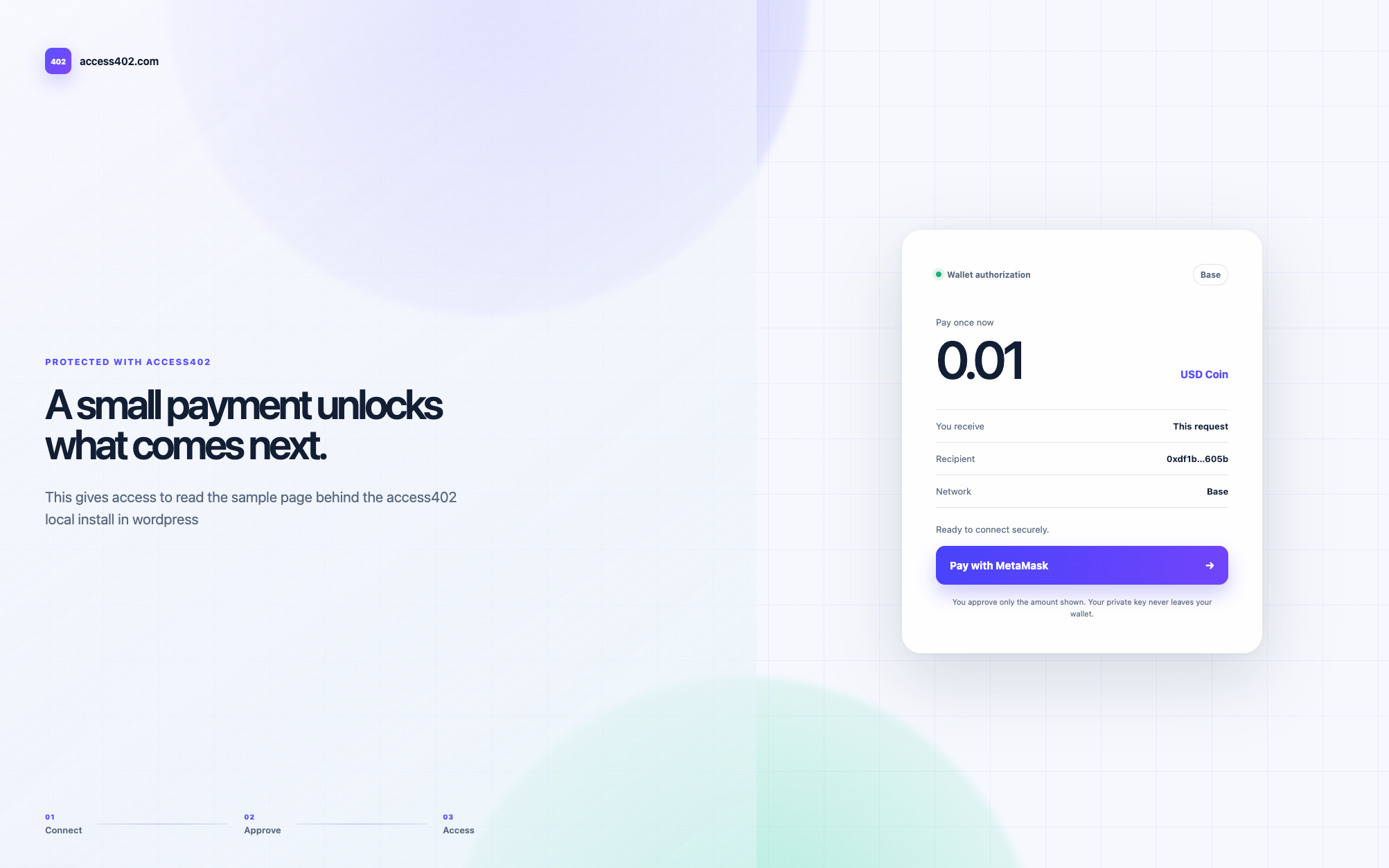
An AI agent or API client signs the payment authorization and retries the request. Access402 verifies and settles the USDC payment, then WordPress returns the original page, file, or API response. Browser visitors use the same challenge through a MetaMask checkout.
Three simple steps
The adapter lives inside the WordPress admin you already know.
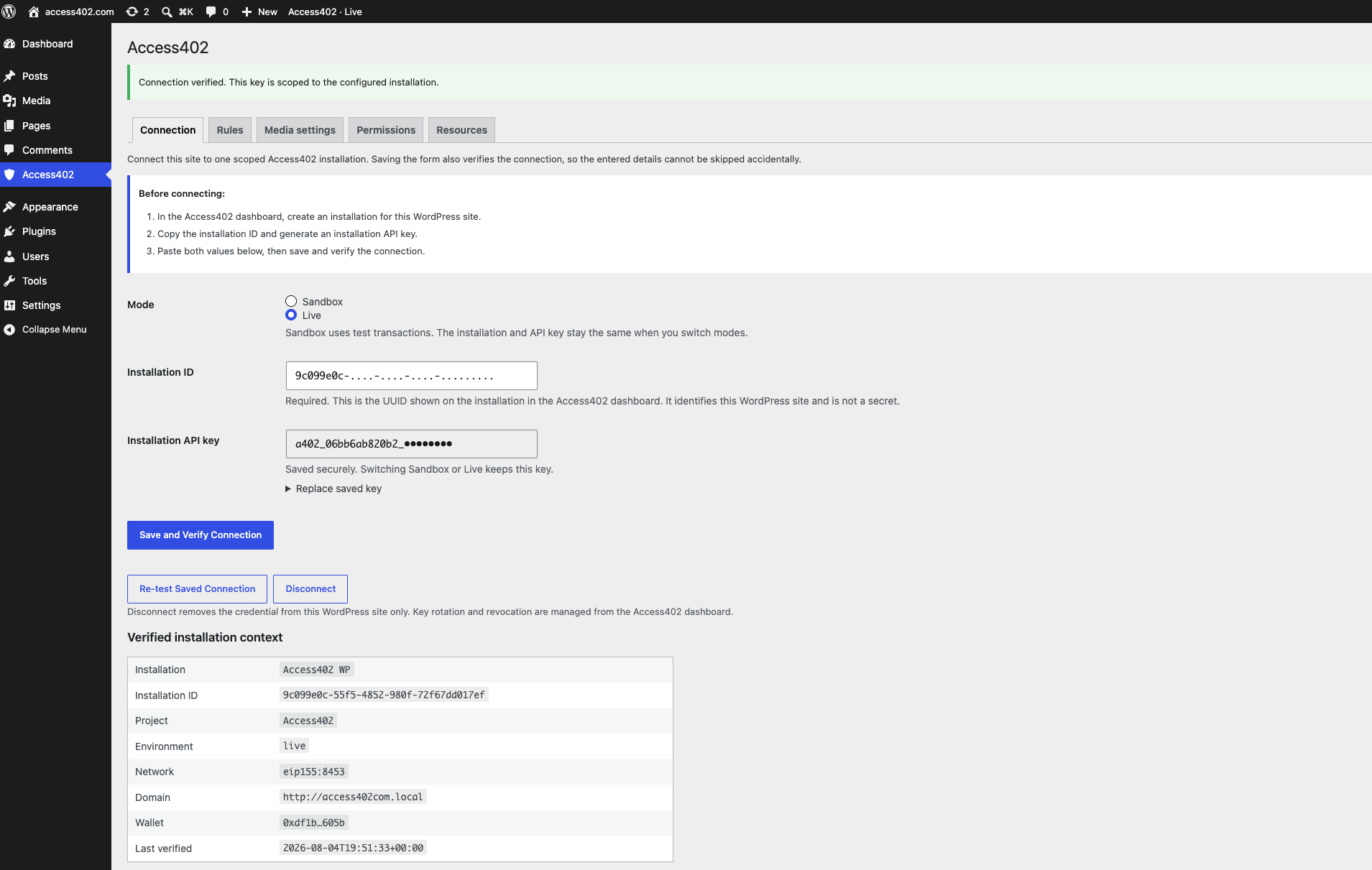
Create a WordPress installation in the Access402 dashboard, paste its installation ID and API key into WordPress, then test the connection. Keep the same credential and use the Sandbox/Live toggle to choose Base Sepolia testing or real USDC payments on Base.
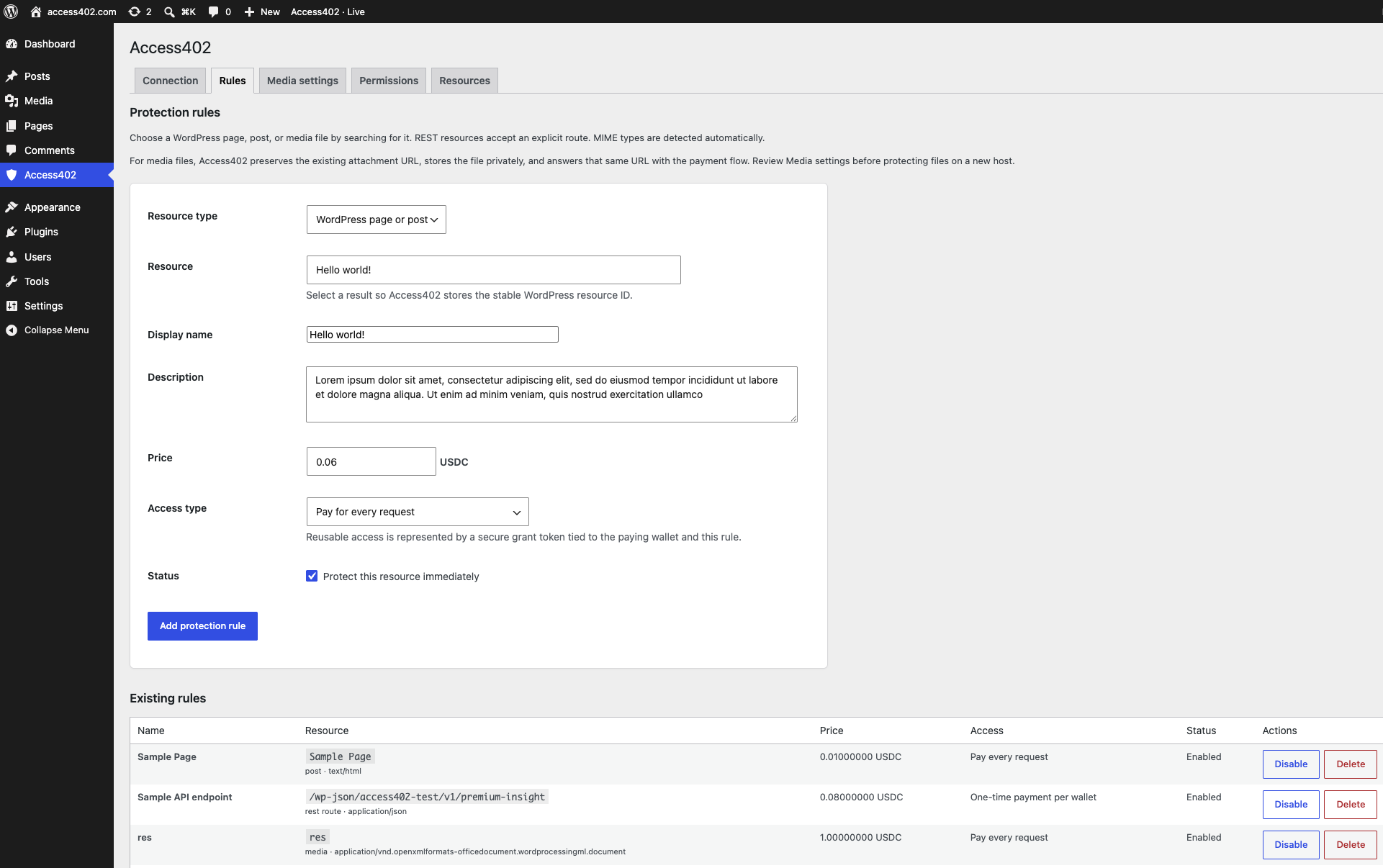
Search for a post, page, or Media Library file—or enter an existing REST API route exactly. Set its USDC price, then choose payment for every request, a reusable grant after one payment, or time-limited access.
When an agent requests the resource, WordPress returns an x402 v2 HTTP 402 challenge. Access402 verifies and settles the signed USDC payment, records the event, and WordPress delivers the resource.
What you can monetize
Protect only the resources that make sense for your business. Public pages can stay public.
Research, analysis, archives, or subscriber-quality editorial content.
Protect structured content, datasets, listings, or endpoints registered by another plugin.
Sell reports, exports, media packages, templates, and data files at their existing WordPress URLs.
Let selected WordPress roles bypass payment while agents still pay.
What happens on every request
WordPress matches the request to an enabled protection rule.
The x402 v2 challenge includes the USDC amount, Base network, receiving wallet, resource, and payment instructions.
The signed authorization is verified and settled against the installation's project and receiving wallet.
The paid post, page, Media Library file, or REST API response is delivered to the agent.
WordPress x402 FAQ
No. Access402 is a managed x402 platform for websites and APIs. WordPress was its first native adapter, and FastAPI is also available for Python APIs.
No. Access402 works through a WordPress plugin. Your theme, authors, URLs, and publishing workflow stay in place. Before protecting Media Library files in production, run the included server routing check and review any CDN or media-offload configuration.
The adapter supports individual WordPress posts and pages, media files, and WordPress REST API routes. Search for WordPress resources by title or filename, or enter a REST route directly. MIME types are detected automatically.
No custom payment code is required. Install the plugin, create an Access402 project and WordPress installation, paste its installation ID and API key, then choose resources and prices in WordPress.
Yes. Access402 runs the hosted verification and settlement service. The WordPress site authenticates with its scoped installation key; customers do not configure or expose Coinbase facilitator credentials.
No. Access402 creates a dedicated Coinbase CDP wallet for the project and automatically uses it as the payment destination. You do not paste a wallet address, private key, or seed phrase into WordPress.
Not directly through Access402 yet. Live payments settle to the Coinbase wallet Access402 created for the project, and you can access and manage the funds through Coinbase. Integrated Access402 cash offboarding is planned for a later release.
Yes. A WordPress rule can advertise x402 v2 discovery metadata to CDP Bazaar, including the method and optional input/output schemas for REST routes. CDP validates the public endpoint and indexes it after its first successful CDP settlement. Discovery can be removed without disabling payment protection.
The dashboard shows the WordPress installation, synchronized rules, receiving wallet and balance, payment and access activity, transaction details, and monthly plan usage.
Yes. Keep the same installation ID and API key, then use the WordPress Sandbox/Live toggle to switch between test USDC on Base Sepolia and real USDC payments on Base.
Only when they open a protected resource. Browser visitors receive a MetaMask checkout, while x402-compatible agents and API clients receive the machine-readable HTTP 402 challenge. Selected WordPress roles can bypass payment.
No. Access402 adds payment protection to an existing WordPress REST API route, including endpoints registered by your theme or another plugin. Enter the exact route you want to protect.
Access402 preserves the WordPress attachment record, metadata, and original URL while moving the public file bytes into private storage. WordPress streams the file after payment, and disabling the final rule restores the public files.